Convert viewer comments into content strategy insightsKnow what to do next
CommentOwl reads the patterns inside YouTube comments and turns them into practical insights: what viewers think, ask, request, misunderstand, praise, complain about, and want you to create next.
For creators and teams searching for YouTube comment insights that can guide video planning, engagement, product messaging, and audience understanding.
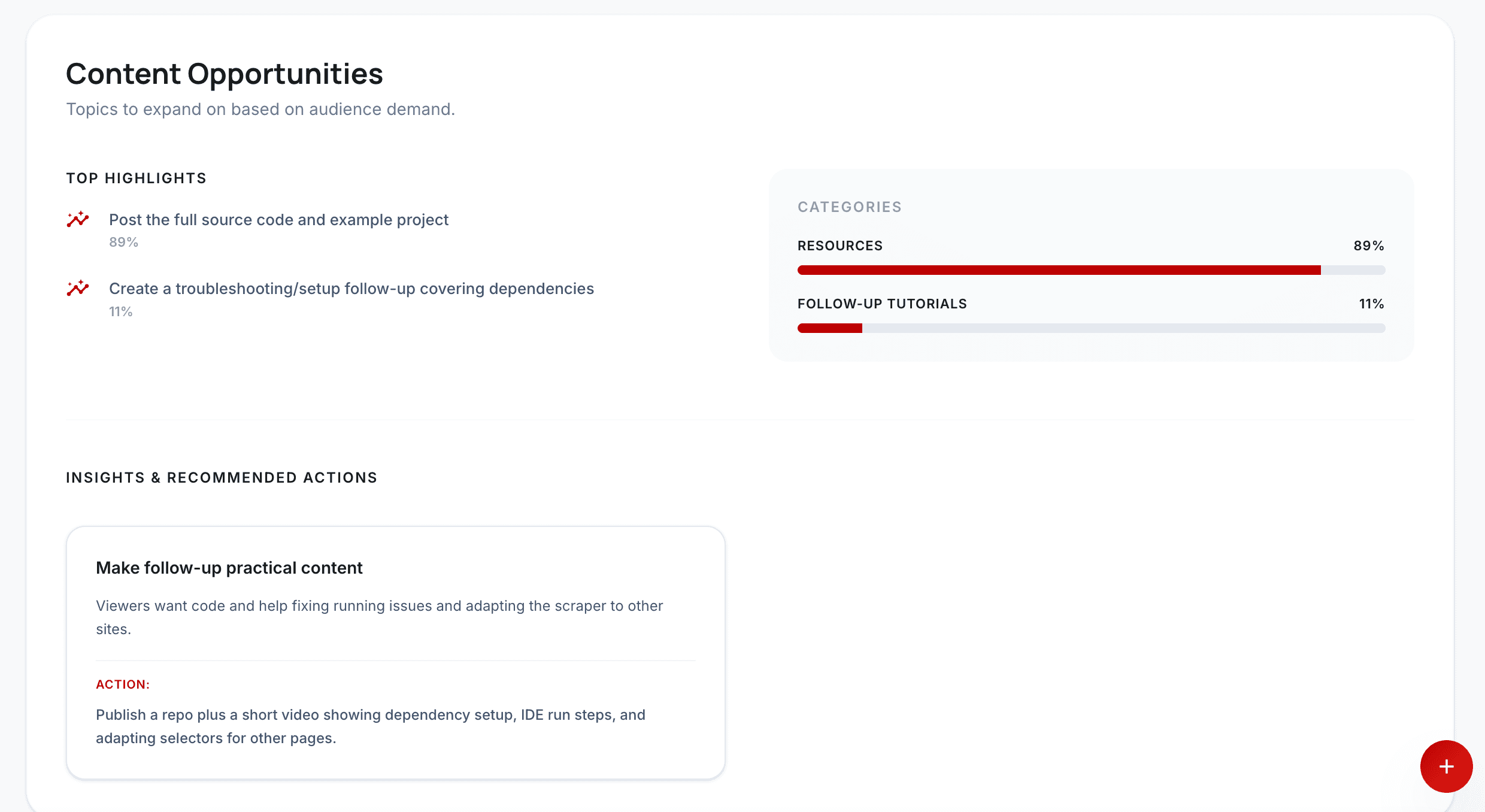
Comments become valuable when they are translated into insight categories
YouTube comments are full of information, but raw comments do not automatically become strategy. Some comments are compliments. Some are feature requests. Some are objections. Some reveal confusion. Some are jokes that still point to a memorable moment. Some are questions that should become a pinned reply. YouTube comment insights help you understand those differences quickly.
CommentOwl is built around eleven key insight types: video overview, audience signals, viewer questions, viewer requests, confusion signals, content opportunities, viewer praise, viewer complaints, improvement opportunities, trending topics, and engagement opportunities. Together, these sections create a practical map of the audience conversation. Instead of asking someone to read every thread, you can review the patterns and decide what action each pattern deserves.
This is useful for both individual creators and larger teams. A solo creator can use insights to decide the next video and reply priorities. An editor can use confusion signals to improve structure. A marketer can use audience language in campaign copy. A founder can use complaints and requests for product feedback. An agency can export insights for client reporting. The same comment section becomes a shared source of evidence.
What CommentOwl surfaces
CommentOwl turns comment volume into insight sections that map to real creator decisions.
Video overview
Get a high-level summary of audience reaction and the main themes shaping the comment section.
Audience signals
Understand what viewers care about and which themes are strong enough to influence future content decisions.
Viewer questions
Find the questions viewers ask repeatedly so you can answer them in replies, descriptions, FAQs, or follow-up videos.
Viewer requests
Identify what your audience wants next, from deeper tutorials and comparisons to templates, examples, and product details.
Improvement opportunities
Turn criticism, confusion, and recurring friction into a focused list of ways to improve future videos and viewer experience.
Trending topics
See which themes are gaining attention so you can respond while the audience is already engaged.
How to turn comment insights into action
Read the overview first
The overview gives you the broad shape of the conversation before you focus on specific insight categories.
Prioritize by decision type
Use questions for replies, requests for content planning, complaints for improvements, praise for creative reinforcement, and trends for timely follow-ups.
Share insights when decisions involve others
Share insight reports so editors, clients, teammates, and sponsors can review the same audience evidence.
Repeat after important uploads
A single scan is useful, but repeated analysis across major videos helps reveal what your audience consistently values, misunderstands, or asks for.
YouTube comment insight examples
Content strategy
A creator notices repeated viewer requests for examples and a recurring question about setup. Those insights become a follow-up tutorial and a pinned clarification.
Engagement planning
CommentOwl highlights engagement opportunities where viewers are asking thoughtful questions. The creator replies to those threads first instead of sorting by newest comments.
Quality improvement
Viewer complaints mention audio level and pacing. Improvement opportunities turn those patterns into concrete production notes for the next upload.
Questions before you scan
What are YouTube comment insights?
They are structured findings from viewer comments, such as audience themes, questions, requests, sentiment, confusion, praise, complaints, trends, and opportunities.
How many insight sections does CommentOwl provide?
CommentOwl provides eleven key insight sections, including overview, audience signals, questions, requests, confusion, praise, complaints, opportunities, trends, and engagement opportunities.
Are comment insights different from YouTube Analytics?
Yes. YouTube Analytics shows performance metrics. Comment insights explain what viewers are saying in their own words and how that feedback can guide decisions.
Can I use insights for future content planning?
Yes. Viewer requests, questions, trending topics, and content opportunities are especially useful for planning future videos.
Ready to turn comments into strategy?
Start with a free scan and see which audience signals are hiding inside your YouTube comments.
Start Your First ScanNo credit card required for free tier