Use YouTube comments as a research channel, not just engagement noiseLearn what viewers want
CommentOwl helps creators and teams mine YouTube comments for audience language, content demand, objections, confusion, praise, complaints, and emerging trends. Turn viewer feedback into research you can use.
For creators, marketers, founders, and researchers who use YouTube comments to understand audience needs, content demand, product perception, and messaging opportunities.
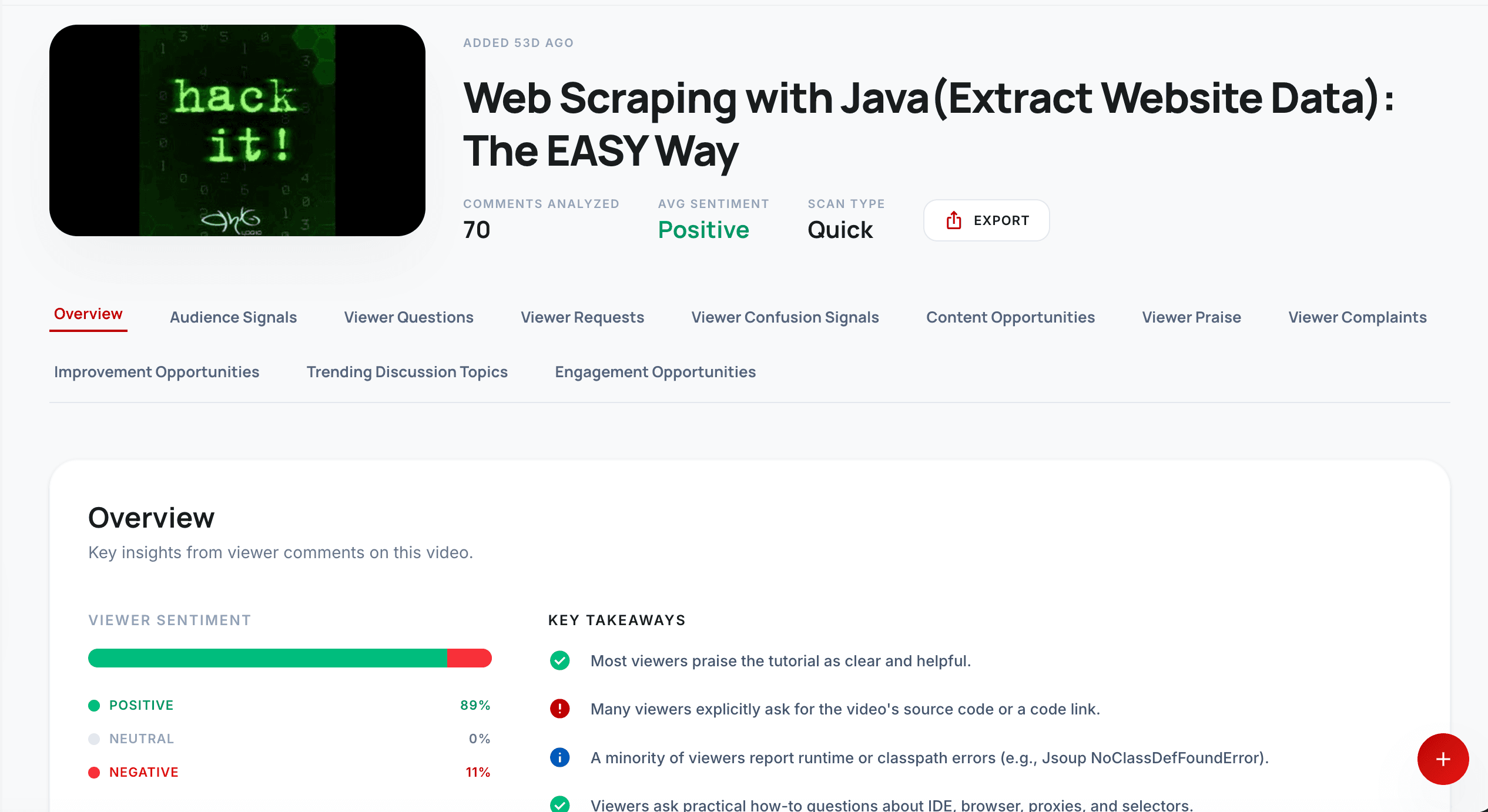
Your audience is already telling you what to build, fix, and explain
YouTube comments are one of the most direct forms of audience research available to creators. Viewers describe what they understood, what they missed, what they want next, what they disagree with, what they admire, and what they wish existed. The challenge is volume. Valuable research is scattered across praise, jokes, complaints, follow-up questions, timestamps, replies, and off-topic noise.
CommentOwl turns that messy stream into structured YouTube audience research. It looks for audience signals, viewer questions, viewer requests, confusion, content opportunities, praise, complaints, improvement opportunities, trending topics, and engagement opportunities. Those categories map closely to the decisions creators and teams make every week: what video to make next, what message to clarify, what product angle to test, what objection to answer, and where to engage with viewers.
This approach is useful because comments contain natural audience language. Search tools can tell you what people type into a search box. Analytics can tell you what they watched. Comments tell you how they talk about the topic after watching, which details they repeat, and which expectations were not met. That language can improve titles, thumbnails, scripts, community posts, sales pages, support documentation, and product messaging.
What CommentOwl surfaces
CommentOwl makes audience research practical by converting large comment sections into decision-oriented themes.
Audience signals
Identify what matters to your viewers, which topics come up repeatedly, and which parts of the video drive discussion.
Viewer requests
Find explicit requests for future videos, comparisons, templates, tutorials, examples, downloads, product details, or deeper explanations.
Viewer questions
Use repeated questions to improve descriptions, pinned comments, scripts, support content, onboarding, and future video outlines.
Confusion research
Confusion points show where the audience needs clearer sequencing, definitions, examples, pricing, setup steps, or expectation-setting.
Trending topics
Discover which topics are gaining traction inside the conversation so you can respond while interest is active.
Engagement opportunities
Find moments where a creator reply, community post, short, livestream, or follow-up explanation could deepen audience trust.
How to run audience research with CommentOwl
Start with a focused research question
Before scanning, decide what you want to learn. Examples: what should we make next, why are viewers confused, what objections appear, what language do customers use, or what follow-up would help most?
Scan the most relevant videos
Analyze videos where your target audience is already active. These may be your own videos, campaign videos, product explainers, tutorials, reviews, or high-intent topic videos.
Look for repeated patterns
A single comment can be interesting, but repeated questions, requests, complaints, and praise themes are more useful for strategy. CommentOwl helps those repeated patterns become visible.
Convert research into assets
Turn the findings into video briefs, title tests, FAQ entries, community posts, product notes, onboarding improvements, support docs, or sponsor talking points.
Audience research examples
Finding content demand
A creator scans comments from three related tutorials and discovers repeated requests for a checklist, beginner version, and comparison video. Those requests become a four-week content plan.
Improving product messaging
A SaaS founder scans launch comments and sees confusion around setup time, pricing, and who the product is for. The team rewrites onboarding copy using audience language from the comments.
Planning community engagement
A channel manager uses engagement opportunities to identify where thoughtful replies would build trust, reduce confusion, and encourage viewers to share more detailed feedback.
Questions before you scan
Can YouTube comments be used for audience research?
Yes. Comments often contain questions, objections, requests, praise, complaints, and natural audience language that can inform content strategy, messaging, and product decisions.
How does CommentOwl help with YouTube audience research?
CommentOwl organizes comments into audience signals, questions, requests, confusion, opportunities, praise, complaints, trends, and engagement opportunities.
Is this useful for teams outside content creation?
Yes. Marketers, product teams, agencies, researchers, and founders can use comment insights to understand audience perception and demand.
What scan depth should I use for research?
Use Quick Scan for an initial read, Regular Scan for stronger pattern detection, and Deep Scan for high-volume videos where the research decision is important.
Ready to turn comments into strategy?
Start with a free scan and see which audience signals are hiding inside your YouTube comments.
Start Your First ScanNo credit card required for free tier