Turn YouTube comments into shareable reports your team can act onExport the signal
CommentOwl helps you analyze comments and export the resulting insights so editors, clients, brand partners, researchers, and channel teams can work from the same audience evidence.
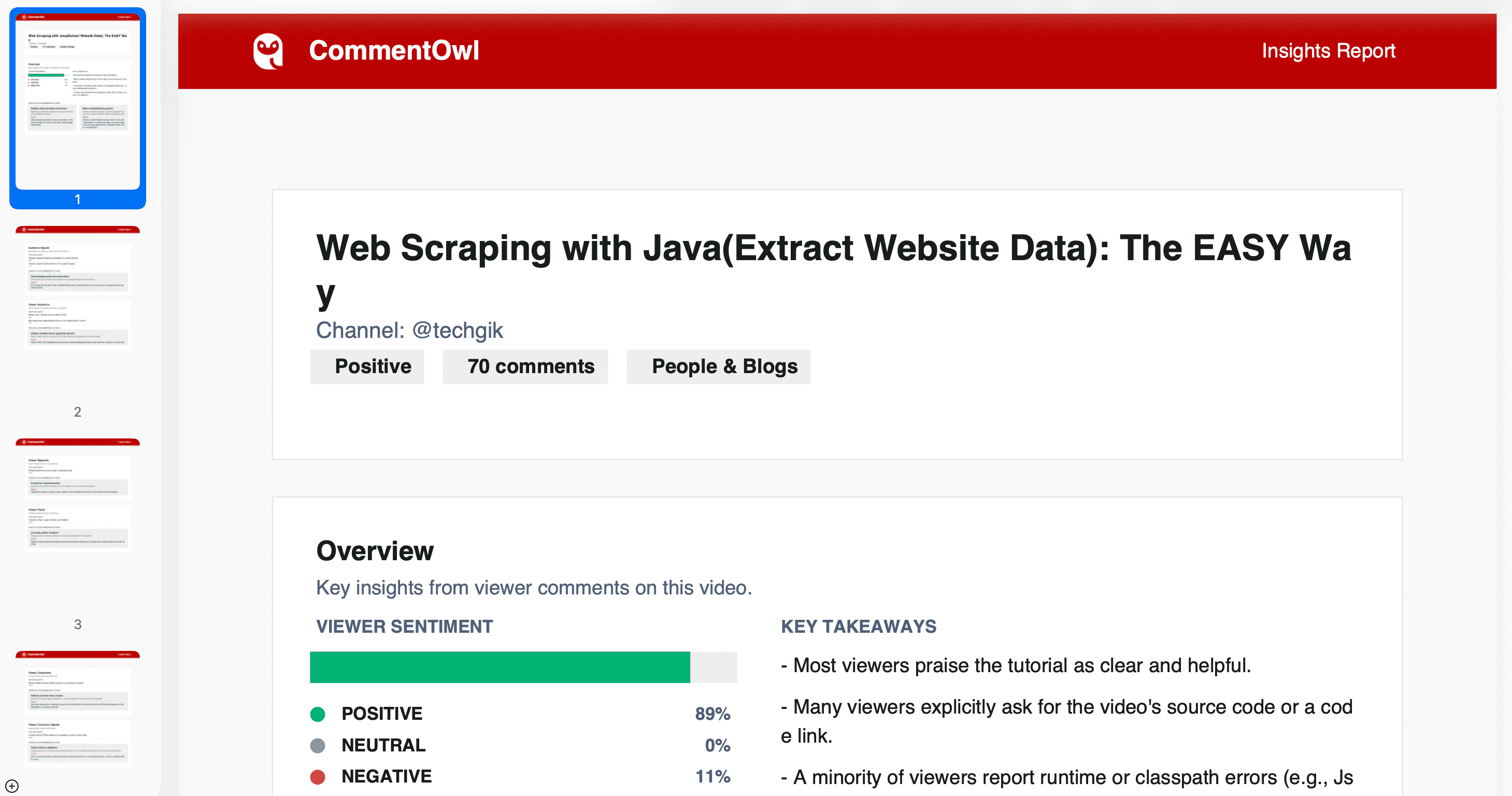
Create clear audience reports from your comment analysis so teammates and clients can understand the main themes without sorting through every comment themselves.
A useful comment report should already be organized
A spreadsheet with thousands of comments still leaves someone with the job of reading, sorting, tagging, and summarizing. For creators and teams, the more valuable report is the insight layer: what the audience asked, requested, praised, complained about, misunderstood, and discussed most often.
CommentOwl focuses on exporting comment intelligence, not just moving text from one place to another. After a scan, the platform organizes the conversation into sections such as video overview, audience signals, viewer questions, viewer requests, confusion signals, content opportunities, praise, complaints, improvement opportunities, trending topics, and engagement opportunities. Exporting those insights gives your team a practical report that can support planning, client communication, editorial strategy, research, or sponsor reporting.
This matters when content decisions involve more than one person. An editor may need to know which confusing section should be clarified in a follow-up. A strategist may need to identify common objections. A founder may want product feedback from launch comments. A brand partner may want proof that viewers understood the campaign. Exportable insights make the comment section easier to reference and harder to misinterpret.
What CommentOwl surfaces
CommentOwl is useful when your export needs to become a briefing document, not just a backup file.
Export insights
Turn organized audience findings into a report your team can use for collaboration, planning, and client communication.
Report-ready sections
The analysis is already structured into creator-friendly categories, which makes it easier to brief editors, clients, sponsors, or internal stakeholders.
Questions and requests
Export recurring viewer questions and content requests so they can become reply queues, FAQ updates, content briefs, or community post prompts.
Praise and complaints
Share what viewers liked and what they criticized. These sections are useful for creative retrospectives, quality reviews, and product feedback loops.
Content opportunities
Export ideas that emerged from audience discussion so future videos are based on observed demand rather than guesswork.
Evidence-backed decisions
Use exported insights to align teams around patterns found in the audience conversation instead of relying on a few memorable comments.
How to use CommentOwl as a YouTube comment export tool
Run the scan that matches the video size
Choose Quick, Regular, or Deep Scan depending on how many comments you need to analyze. The larger the decision, the more useful a deeper scan becomes.
Review insights before exporting
Check the generated sections and decide which findings matter for your use case. A creator may focus on content opportunities, while a client report may emphasize sentiment and audience signals.
Share the report with the right context
Exported insights work best when paired with the video URL, campaign goal, and the decision being made. This keeps stakeholders focused on action rather than raw volume.
Turn exported findings into tasks
Use the export to create editing notes, reply assignments, product feedback tickets, future video outlines, sponsor summaries, or research memos.
Preview a sample exported report
See the kind of audience insights, comment themes, and strategy notes a shared CommentOwl report can include.
Examples of exported comment insights
Client reporting
An agency sends a campaign recap with audience signals, praise themes, objections, and engagement opportunities. The client sees not only that viewers commented, but what those comments actually meant.
Editorial planning
A channel manager exports viewer requests and content opportunities after a high-performing video. The editor uses them to build the next production queue.
Product feedback
A founder exports complaints, questions, and confusion signals from a launch video. The team turns those findings into documentation updates and roadmap discussion points.
Questions before you scan
What does a CommentOwl report include?
A report can include the main audience themes from a scan, including questions, requests, sentiment patterns, praise, complaints, opportunities, and strategy notes.
Which plans include exports?
Exporting is available on plans built for creators and teams that need to share findings outside the dashboard.
What can I do with exported insights?
Use them for content briefs, client reports, editorial planning, reply prioritization, product feedback, sponsorship recaps, or research notes.
Can clients or teammates review the report?
Yes. Reports are designed to make audience feedback easier to review with editors, clients, sponsors, product teams, or channel managers.
Ready to turn comments into strategy?
Start with a free scan and see which audience signals are hiding inside your YouTube comments.
Start Your First ScanNo credit card required for free tier